
Getting started
Set up your company
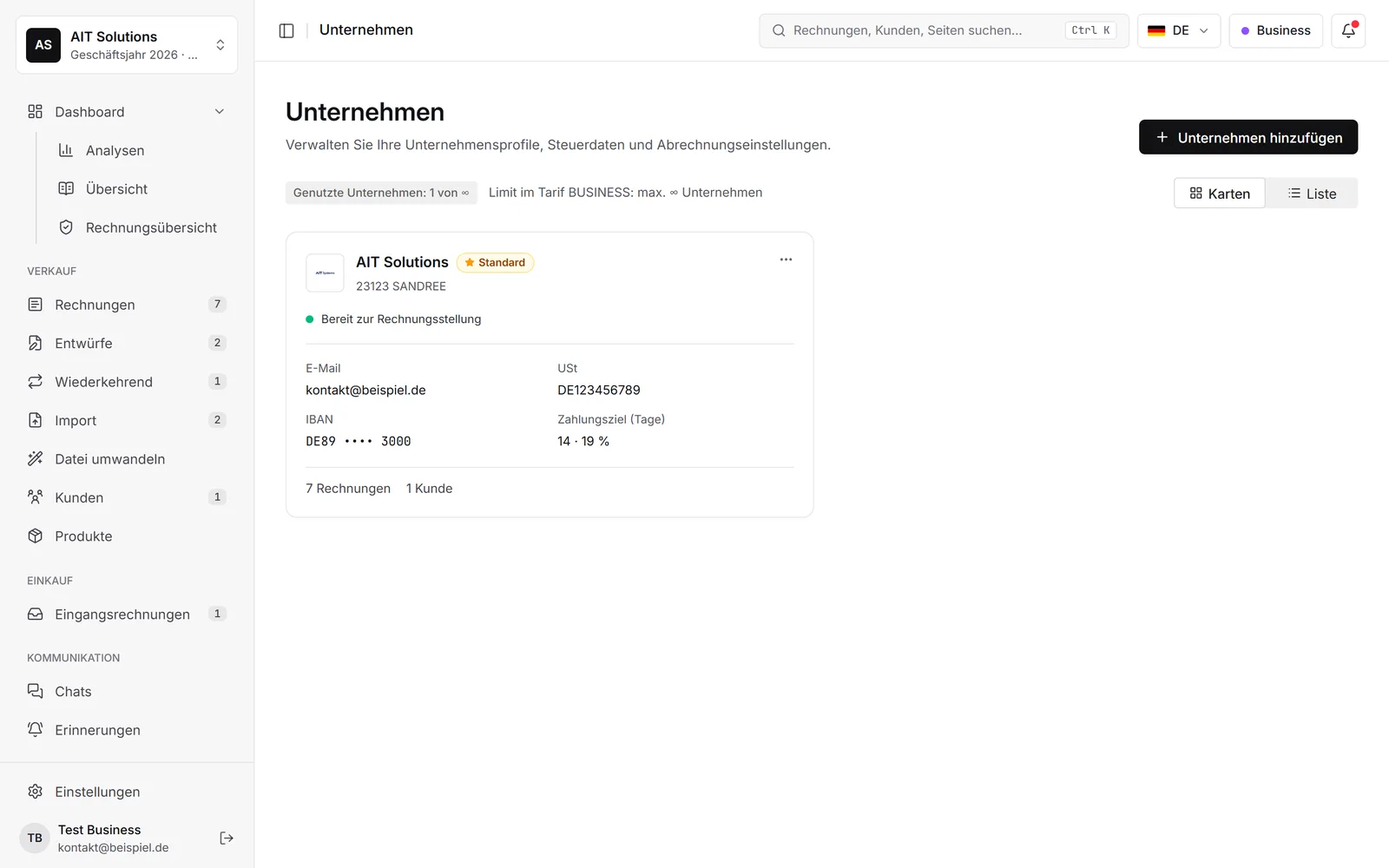
Company name, address, VAT ID or tax number, IBAN and logo: every e-invoice needs them. How to set up your company in ezRechnung.
On this page
Your company is the seller on every invoice. Name, address, tax details and bank account go into every e-invoice automatically. If something is missing here, validation fails. That is why it pays to fill in the profile completely once.
Setup after signing up#
After your first sign-in, ezRechnung guides you through two steps: company details and billing details. You can change everything later under Company.
- 1
Company details
Company name, legal form (optional), street and number, postcode, city, country, e-mail address and phone.
- 2
Billing details
VAT ID or tax number, IBAN and BIC, default payment term in days and default VAT rate.
- 3
Welcome
Finally, ezRechnung asks how you heard about us and shows the plans. You can continue with the Free plan right away.
Which details are required?#
| Field | Required | Why |
|---|---|---|
| Company name | Yes | Seller name (BT-27) |
| Street, postcode, city, country | Yes | Full seller address, e.g. rules BR-DE-3 and BR-DE-4 |
| E-mail address | Yes | Seller contact, required in XRechnung |
| Phone | Yes | Seller contact, required in XRechnung |
| VAT ID or tax number | At least one | Tax identification of the seller |
| IBAN | Yes | Payment instructions, rule BR-DE-23 |
| BIC | Optional | Added if needed |
| Legal form | Optional | Shown after the company name |
Upload your logo#
Your logo appears on all PDF invoices, on every plan. PNG or JPG up to 1 MB. Upload it under Company with Upload logo.
Defaults for new invoices#
- Default payment term: number of days until the due date, for example 14. A customer can have their own payment term, which takes priority.
- Default VAT rate: usually 19 %. It is preselected for new line items.
- Small business (§ 19 UStG): if you do not charge VAT, enable this option. Every invoice of this company is then created without VAT and with the required note.
Payment options#
With an IBAN, ezRechnung can print a GiroCode on the invoice that your customer scans with their banking app. You can also add a PayPal.me link, for example paypal.me/yourname, so invoice and e-mail offer “Pay with PayPal” for the exact amount.
Change details later#
Open Company and click Edit. Changes apply to all new invoices. Invoices that were already created stay unchanged, because under GoBD they may no longer be altered.
Was this page helpful?